Stream Video Downloader
Paste a stream URL — m3u8, HLS playlist, or a direct video link — and download the video as one MP4 file. Runs in your browser; nothing is uploaded to any server.
Download streaming videos the way they actually arrive
When a site “plays” a video, it is really downloading it for you — piece by piece, a few seconds at a time, straight into a buffer. This stream video downloader does exactly what the player does, minus the playing: it reads the playlist, requests every chunk in parallel, and writes them into one MP4 file on your disk. Because the chunks are fetched from the source CDN at full speed instead of playback pace, a two-hour video downloads in minutes, at the original quality, with nothing re-encoded.
Download any stream video in three steps
Copy the stream URL
Right-click the page → Inspect → Network tab → filter for m3u8, play the video, and copy the playlist request URL. Direct .mp4 links work too — paste either.
Paste it above and press Download Video
The downloader parses the playlist, picks the highest quality, and fetches all segments eight-at-a-time with automatic retries — progress updates live.
Save the finished MP4
Click Download MP4 at 100% and the merged file lands in your downloads folder — ready for any player, editor or TV.
What counts as a “stream video”?
Practically everything you watch online that isn't a file link. News clips, course lectures, webinar replays, sports highlights, VOD platforms, IPTV-style channels, and most embedded players are all HLS streams under the hood: the player loads a .m3u8 playlist that lists hundreds of small .ts chunks. If you can watch it in your browser without logging in to a DRM service, chances are this downloader can save it as a clean MP4.
The page also accepts plain video URLs — if a site serves an actual .mp4 file, pasting the link downloads it directly without any playlist processing. Either way, the file is assembled locally: your browser talks only to the video's own server, and the result never passes through ours.
One-click stream capture: the Chrome extension
Don't want to open developer tools at all? Install the M3U8to – Video Downloader for m3u8 & hls extension. It watches every page you browse, detects the stream the moment a video starts playing, and hands you a download button — the same local, no-upload merging as the web tool, one click deep.
- 1
Add the extension
Install from the Chrome Web Store (works in Chrome and Edge) and pin it from the puzzle-piece menu.

- 2
Open the page and click the icon
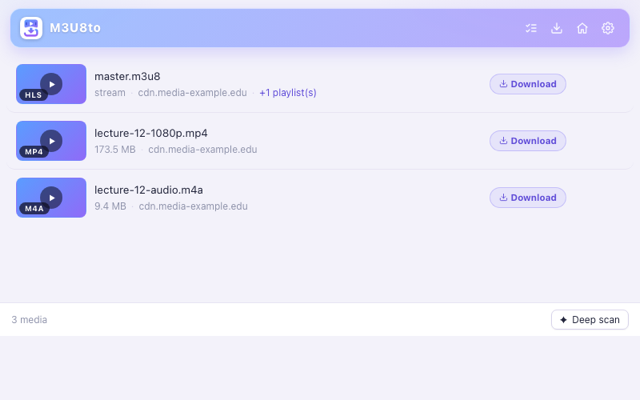
Play the video on its page. The popup lists the stream it detected — quality, segments and duration included.
- 3
Download the MP4
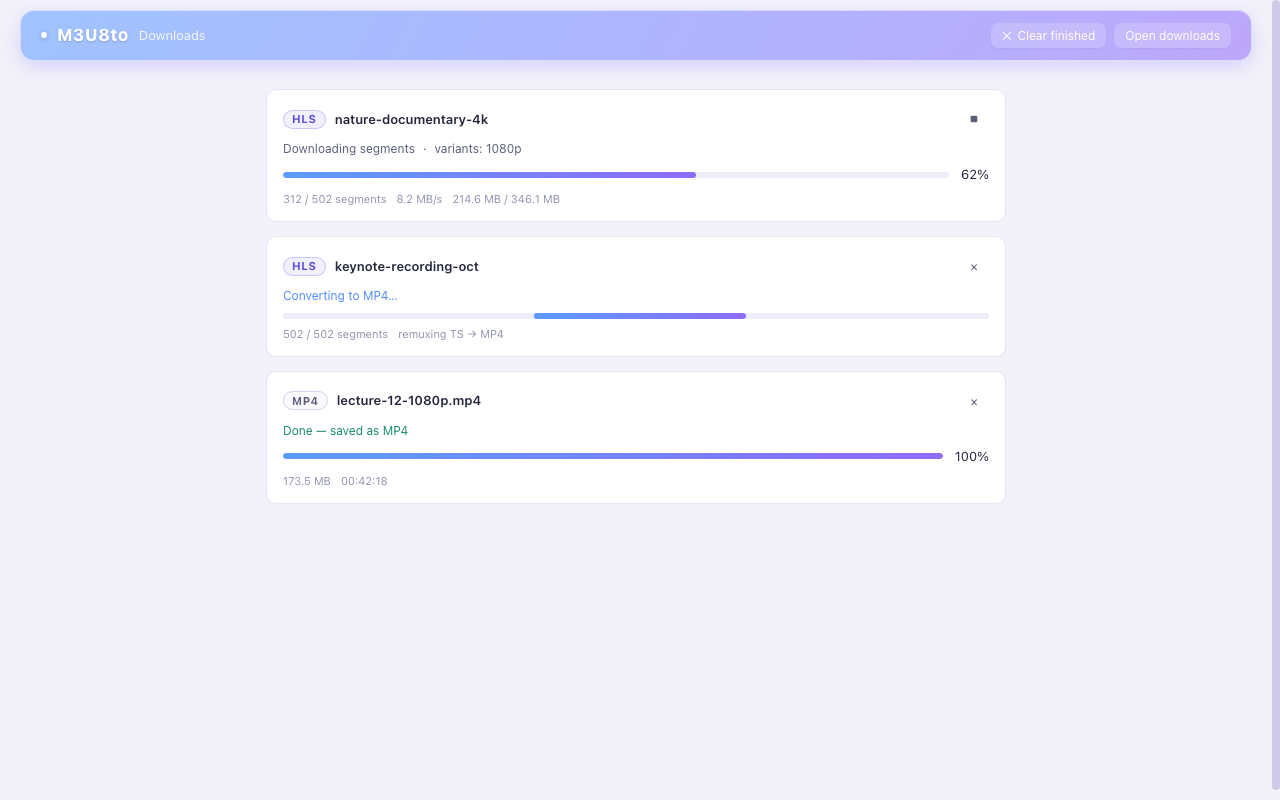
Hit download and the extension fetches and merges the stream locally — your video lands in the browser's downloads folder as one MP4.
More ways to save streams
Same engine, different jobs.
M3U8 Downloader
Live Stream Downloader
HLS Downloader
Stream video downloader FAQ
Quick answers before your first download.
What is a stream video downloader?
A stream video downloader saves a video that is being streamed to your browser — as opposed to a regular file download, where the site hands you a finished .mp4 link. Modern sites almost never offer that direct link: they deliver video through adaptive streaming (usually HLS, described by an m3u8 playlist) in hundreds of small chunks. A stream downloader reads the playlist, collects every chunk, and hands you one complete video file — here, a standards-compliant MP4.
Which kinds of streams does it support?
Three: HLS/m3u8 playlists (the most common format on the web, including master playlists with multiple qualities), direct video links (.mp4, .webm, .mov endings), and fMP4-based CMAF streams. DRM-protected services (Netflix, Disney+, and similar) are deliberately not supported — encrypted AES-128 HLS without DRM is handled with the Chrome extension instead of producing a broken file.
How do I find the stream URL if there is no download button?
Open the page with the video, press F12 to open developer tools, switch to the Network tab, type m3u8 into the filter box, and start playback. A request whose name ends in .m3u8 appears — right-click it, copy the URL, and paste it above. If that sounds like too much clicking, the Chrome extension detects the stream for you the moment the video plays.
Is this stream video downloader free?
Yes — free with no account, no watermark, no per-day quota, and no ads on this page. The downloading and merging happen inside your own browser, so there is no upload step, no queue, and no file-size cap beyond your device's memory. The Chrome extension is free as well.
Why not just screen-record the video?
Screen recorders capture your display, not the stream — so you get your screen's resolution with playback controls burned in, out-of-sync audio risk, and a real-time wait: a 90-minute lecture takes 90 minutes to record. A stream downloader fetches the original video data directly and in parallel, giving you the untouched original quality in a fraction of the runtime, with no second screen, notifications, or cursor in the frame.
Does it work on Mac, Windows, and mobile?
The web downloader runs in any modern browser — Chrome, Edge, Firefox, Safari — on Windows, macOS, Linux, Android and iOS. The Chrome extension covers Chromium browsers on desktop (Chrome and Edge). Because everything runs locally, even long videos work fine on modest hardware.